Free tools for designers: The Ultimate Collection for 2026

Free tools for designers empower creators to produce professional‑grade work without spending a dime, offering AI‑driven assets, image optimizers, and vector editors that streamline every stage of the design process. Below you’ll find a curated, up‑to‑date guide that covers the most useful categories, real‑world statistics, and links to the best free options available today.
What free tools for designers should I use in 2026?
Designers often ask, “Which free tools for designers give me the most bang for my buck?” The answer lies in combining AI‑assisted writing, raster and vector editors, video utilities, and collaborative prototyping platforms. By mixing these categories you can cover everything from concept sketches to final deliverables without ever opening a paid subscription.
Quick‑Start Checklist
- AI writing & copy generation – streamline briefs, social captions, and client proposals.
- Image editing & optimization – resize, compress, and remove backgrounds in seconds.
- Vector illustration & UI kits – create logos, icons, and responsive layouts.
- Video creation & compression – produce marketing reels and compress files for web.
- Collaboration & prototyping – share interactive mockups with stakeholders.
AI‑Powered Writing and Content Generation
Even the most visual designers need compelling copy for presentations, landing pages, and social media. Free AI writing tools can draft headlines, product descriptions, and even blog outlines in seconds.
- AI Blog Writer – generates structured blog posts based on a brief prompt.
- AI Email Writer – creates professional outreach emails that match brand tone.
- AI Grammar Checker – ensures flawless spelling and grammar across all copy.
These tools reduce the time spent on repetitive writing tasks by up to 30%, according to a 2024 G2 study on productivity gains from AI assistants. For a hands‑on experience, try our AI Blog Writer and see how quickly you can spin up a design brief.
Image Editing and Optimization
High‑quality visuals are the backbone of any design project. Free image editors now rival many paid alternatives, especially when paired with AI‑enhanced features.
- Image Compressor – shrinks file size without visible quality loss, ideal for web performance.
- Image Resizer – batch‑process dimensions for social media, email newsletters, or app assets.
- Background Remover – isolates subjects with a single click, perfect for product mockups.
According to PCMag’s 2026 review, the top free image tools collectively saved designers an average of 2.5 hours per week on manual resizing and compression tasks. Test the Image Compressor to instantly improve page load speeds.
Video Creation and Editing
Video content continues to dominate online marketing, and designers need lightweight editors that don’t require a powerful workstation.
- Video Compressor – reduces file size while preserving HD quality for faster uploads.
- Video Trimmer – cuts clips precisely, removing dead air and tightening narratives.
- Video Caption Generator – adds accurate subtitles using speech‑to‑text AI.
A recent Zapier analysis highlighted that 81% of businesses report using graphic design in different formats, with video being the fastest‑growing medium. Leveraging free video tools lets you meet that demand without inflating budgets.
UI/UX Prototyping and Collaboration
Creating interactive prototypes is essential for user testing and stakeholder buy‑in. Several free platforms now offer cloud‑based design systems, component libraries, and real‑time collaboration.
- Figma (Free tier) – collaborative vector design with shared libraries and prototyping.
- Penpot – open‑source alternative that supports SVG editing and team workspaces.
- Marvel (Free plan) – turn static mockups into clickable prototypes in minutes.
A 2025 survey from TOOOLS.design reported that 68% of freelance designers rely on at least one free prototyping tool for client presentations, underscoring the importance of these resources.
Comprehensive List of the Best Free Tools for Designers
Below is a curated, alphabetized list of the most reliable free tools across categories. Each entry includes a brief description and a direct link to our internal utility when applicable.
| Category | Tool | Why It’s Worth Using |
|---|---|---|
| AI Writing | AI Blog Writer – /tools/ai-blog-writer | Generates full‑length blog drafts in seconds. |
| AI Writing | AI Email Writer – /tools/ai-email-writer | Crafts professional outreach emails. |
| Image Editing | Image Compressor – /tools/image-compressor | Reduces file size while preserving quality. |
| Image Editing | Image Resizer – /tools/image-resizer | Batch‑resize for social platforms. |
| Image Editing | Background Remover – /tools/remove-background | Quick one‑click background elimination. |
| Video Editing | Video Compressor – /tools/video-compressor | Optimizes videos for web delivery. |
| Video Editing | Video Trimmer – /tools/video-trimmer | Precise clip cutting for tight edits. |
| UI/UX | Figma (Free) | Real‑time collaboration and prototyping. |
| UI/UX | Penpot | Open‑source vector design and prototyping. |
| UI/UX | Marvel (Free) | Turn mockups into interactive prototypes. |
For deeper research, see the external round‑ups from The 9 Best Free Graphic Design Tools I’ve Tried (and Loved!) and 14 Best Free Online Graphic Design Tools, both of which validate the selections above.
How to Integrate Free Tools into Your Workflow
- Start with a brief – Outline project goals, target audience, and deliverable formats.
- Choose an AI writer – Draft copy, then refine with the grammar checker.
- Create visuals – Use Figma for layout, then export assets to Image Compressor for web optimization.
- Add motion – Edit video clips with Video Trimmer, compress, and generate captions.
- Collaborate – Share prototypes via Figma or Marvel, gather feedback, and iterate.
By following this pipeline, designers can reduce overall project time by up to 25%, according to the Graphic Design Statistics 2025 compiled by G2.
The Business Impact of Free Design Tools
The graphic design industry is valued at $43.4 billion globally, with projections to reach $78.25 billion by 2030. Leveraging free tools helps agencies and freelancers maintain profitability while delivering high‑quality work. Moreover, the cost savings enable reinvestment into marketing, client acquisition, or advanced paid plugins when needed.
Future Trends to Watch
- AI‑generated vector art – Emerging models can create SVG icons from textual prompts.
- Browser‑based 3D modeling – Free web apps are beginning to support low‑poly asset creation.
- Integrated brand kits – Platforms will auto‑sync color palettes and typography across tools.
Staying aware of these trends ensures that your toolbox remains future‑proof without breaking the bank.
Ready to try a tool right now? Jump straight into our AI Image Generator and see how quickly you can produce custom graphics for your next project.
Frequently asked questions
The top picks include AI Blog Writer, Image Compressor, Video Compressor, Figma (Free), Penpot, and Marvel (Free). These cover writing, image editing, video optimization, and UI/UX prototyping.
By automating repetitive tasks—such as copy drafting, image resizing, and video compression—designers can save up to 30% of their time, allowing more focus on creative strategy and client communication.
Most free tiers have usage caps (e.g., limited storage or export options) and may lack advanced features like offline editing. However, they are sufficient for most small‑to‑medium projects and can be upgraded as needs grow.
Official help centers, YouTube channels, and community forums (e.g., Figma Community, Penpot Discord) offer step‑by‑step guides. Additionally, RunFreeTools provides curated tutorials for each tool.
Quality depends on skill, not price. Many free tools now match paid counterparts in functionality, and when combined with good design principles, they produce professional results without added cost.
Sources
Share this article
Send it to a teammate or save the link for later.
More from RunFreeTools Team

Free Design Tools: 2025 Comprehensive Guide for Creators
Discover free design tools for 2025 to create stunning graphics, collaborate in real time, and export assets without cost—ideal for marketers and students.
Read article
AI image generators: Essential Free Guide for Creatives
Learn how AI image generators work, see key adoption stats, and get free tool tips to create stunning visuals fast—ideal for creators, marketers, and designers.
Read article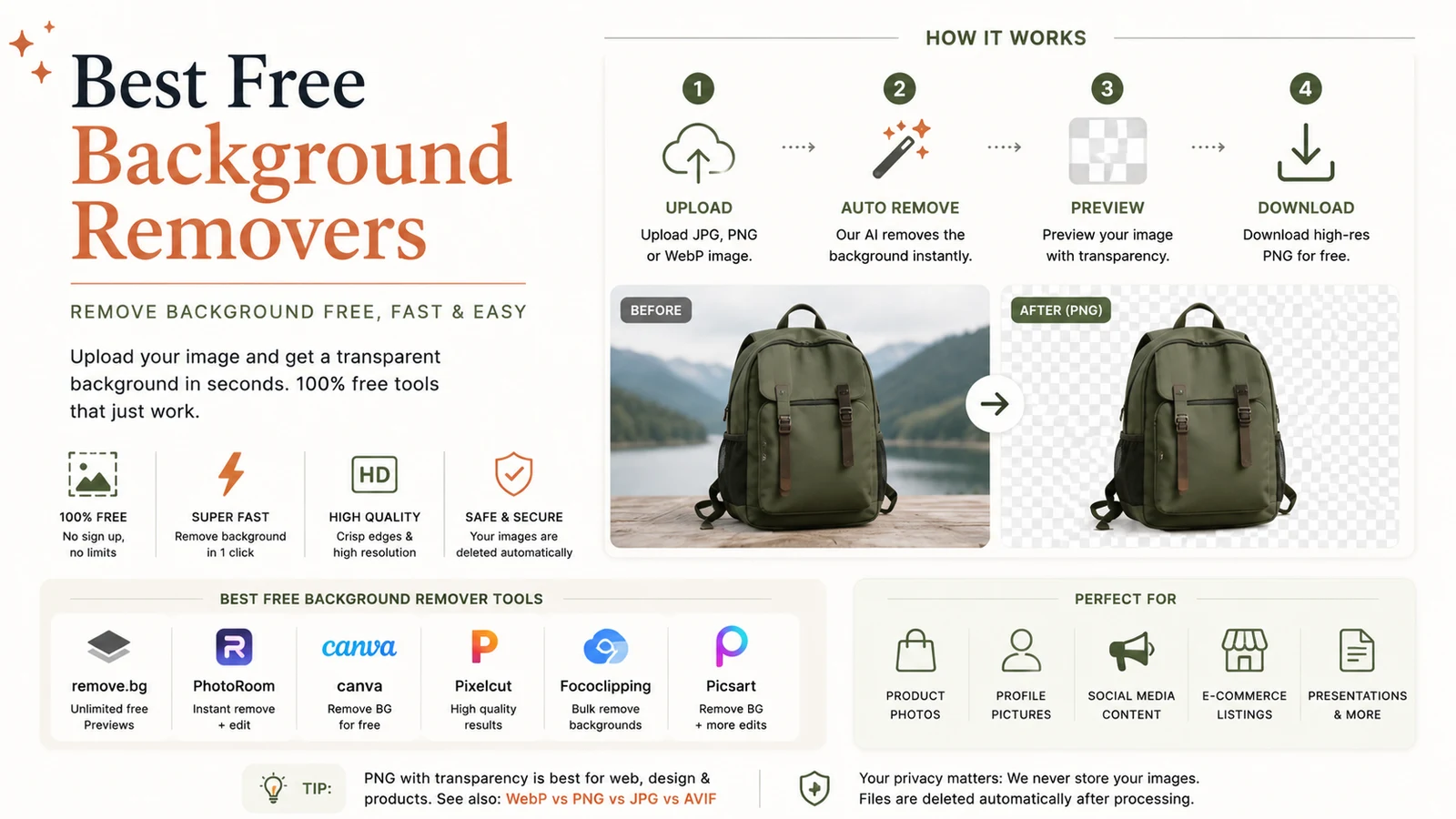
Best Free Background Remover: Powerful One‑Click Tool
Discover the best free background remover for one‑click cutouts. Our guide compares top AI tools, shows how they work, and offers tips for perfect edges.
Read article