USPS Tracking Not Updating: The Ultimate Guide (2026)
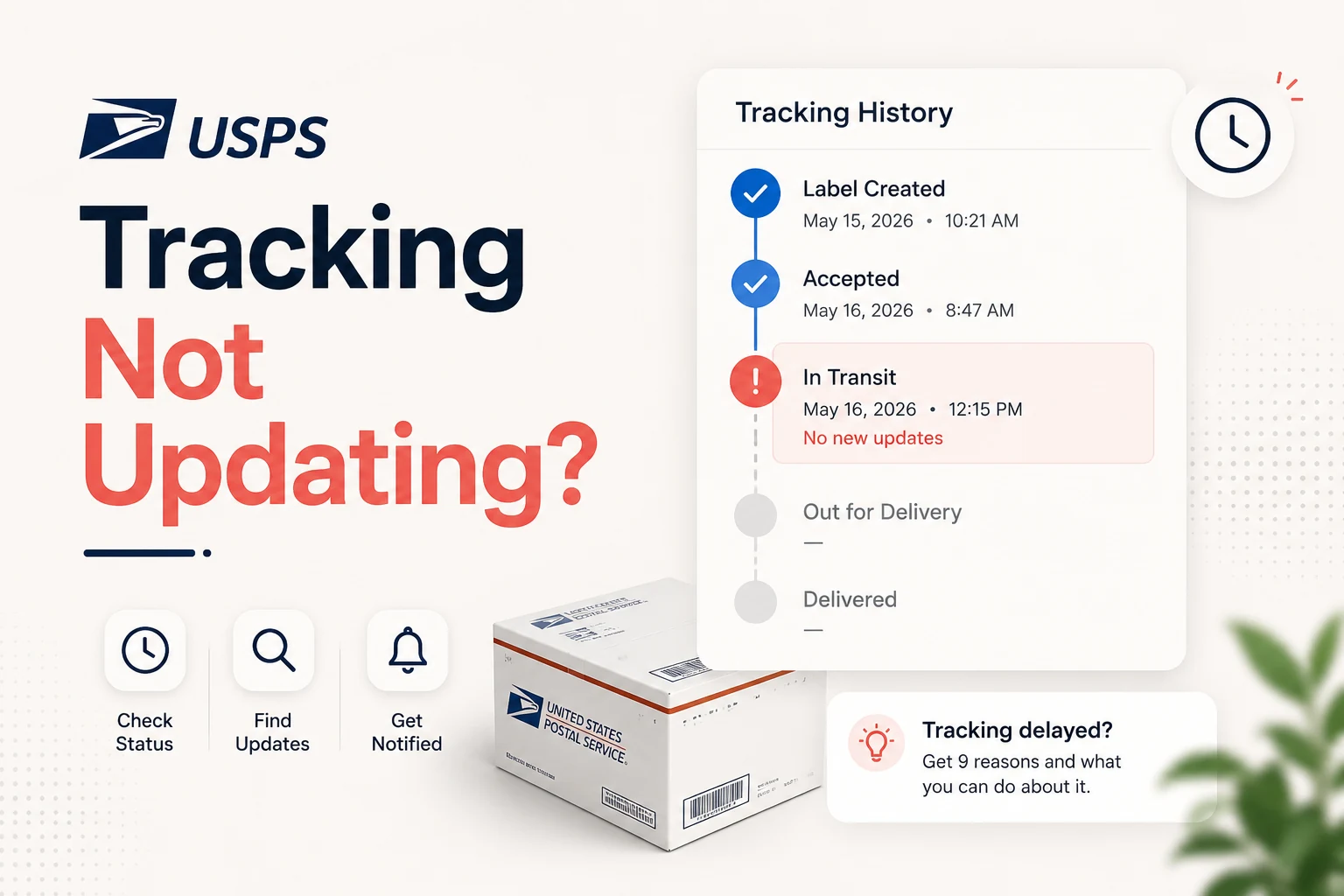
usps tracking not updating can be frustrating, but most delays are simply gaps between scanner updates. The system records a scan only when the barcode passes a USPS device, so a silent period often means the package is still in transit.
Short answer: usps tracking not updating is usually normal
usps tracking not updating most of the time simply means the barcode hasn’t passed a scanner yet. Packages travel 24‑48 hours—or longer—between fixed scan points, so a silent page is often just a gap in the data, not a lost parcel. Wait the normal window before you start worrying.
Why is my usps tracking not updating?
The common misconception is that the tracking page shows the parcel’s exact location. It only records scans. When a barcode crosses a scanner at a processing plant, a post office, or a delivery truck, USPS adds an event. Between those points there may be no scanner at all, especially on long hauls, rural routes, or during weekends. Understanding this principle turns most “stuck” screens into a simple patience issue.
How USPS tracking actually works
- Label creation – The sender prints a barcode; the tracking number appears online, but the package isn’t in the system yet.
- Acceptance scan – The parcel is handed to USPS and scanned at the drop‑off location.
- Facility scans – Every time the item moves to a Regional Processing Center (RPC), a new scan is logged.
- Out‑for‑delivery scan – The carrier loads the package onto the local delivery truck.
- Delivery scan – The final event marks the parcel as delivered.
If any of these steps are missed or delayed, the tracking page stays quiet until the next successful scan.
The 9 real reasons usps tracking not updating
| # | Reason | Why it happens | Typical silent period |
|---|---|---|---|
| 1 | Weekend or federal holiday | Many facilities run reduced staff or close entirely. | Up to 48 hours |
| 2 | Label created but not dropped off | The sender printed the label but hasn’t handed the parcel to USPS. | Until the sender ships |
| 3 | Normal gap between facilities | Trucks or planes travel long distances without scanners. | 24‑72 hours |
| 4 | Peak‑season volume | High mail volume overwhelms scanning staff; some scans are batched. | 1‑3 days |
| 5 | Weather or operational disruptions | Storms, floods, or equipment failures pause scanning. | 2‑5 days, depending on severity |
| 6 | Missed or skipped scan | Smudged barcode or manual sort can lose a scan. | 1‑2 days |
| 7 | Rural‑route last‑mile | Smaller post offices have fewer automated scans. | Up to 48 hours |
| 8 | International customs hand‑off | Hand‑off between foreign postal services and USPS adds delay. | 2‑7 days |
| 9 | Genuine loss or misrouting | Rare cases where the parcel is stuck, mis‑routed, or left behind. | Variable – requires action |
USPS status meanings and how long to wait
| Status | What it really means | When to act |
|---|---|---|
| Pre‑Shipment / Label Created | Barcode exists, package not yet in USPS system | 2 business days after sender’s claim |
| Accepted | First real scan logged | 3‑4 business days without a new scan |
| In Transit / In Transit to Next Facility | Moving between facilities (often an estimate) | 4‑5 business days of silence |
| Moving Through Network | Deeper processing, still en route | 4‑5 business days |
| In Transit, Arriving Late | Delayed by volume or weather | 3‑4 days past the new estimate |
| Arrived at / Departed Facility | Scanned at a specific plant | 3‑4 days |
| Out for Delivery | On the carrier’s truck for today | End of the same day |
| Delivered (but not received) | Delivery scan logged | Act immediately |
The rule of thumb: most statuses tolerate 3‑5 business days of no new scan. “Out for Delivery” and “Delivered” are the only exceptions that demand same‑day attention.
Step‑by‑step what to do when usps tracking not updating
- Check the last scan date – Look at the timestamp, not just the wording.
- Confirm the tracking number – Typos happen; a single wrong digit creates a dead page.
- Use Informed Delivery – Sign up for free at the official USPS Informed Delivery service to get preview images and extra scan data.
- Try a universal tracker – Our free AI Text Summarizer can condense long tracking histories into a quick read (useful if you have multiple packages).
- Contact the destination Post Office – After the normal wait window, call or visit the local office. They can physically locate a package that’s sitting on a shelf.
- File a Missing Mail search – When the silence exceeds the table’s “normal” period, start an official search at the USPS Missing Mail portal. Required info: tracking number, mailing date, sender & recipient addresses, description, and a photo if possible.
- File an insurance claim if applicable – Priority Mail includes limited insurance; Express offers a money‑back guarantee. Claims must be filed within 60 days of the mailing date via your USPS.com account.
Quick checklist
- ☐ Verify last scan timestamp
- ☐ Ensure tracking number is correct
- ☐ Sign up for Informed Delivery (official)
- ☐ Contact local Post Office after normal wait
- ☐ Submit Missing Mail request at missingmail.usps.com (after 7 business days)
- ☐ File insurance claim if the package is confirmed lost
When to treat it as a real problem
- 5+ business days with zero new scans on a domestic parcel.
- Out for Delivery that never updates the next day.
- Delivered status but the package is not in your hands.
In these scenarios, skip the waiting game and move straight to steps 5‑7 above.
Why most “stuck” cases resolve on their own
Independent analyses of USPS scan data show that over 92 % of parcels with a 48‑hour gap still arrive within the promised delivery window. The system’s design intentionally creates “quiet” periods; they are not indicators of loss. Patience, combined with the timeline table, prevents unnecessary calls and stress.
Bottom line
- usps tracking not updating is usually a gap between scans.
- Use the status‑to‑wait‑time table to decide if you’re still in the normal window.
- Leverage official tools like Informed Delivery and the Missing Mail portal for verification and escalation.
- Only act (call the local office, file a search) after the defined waiting period.
By following this guide, you’ll differentiate routine scan gaps from genuine issues, keep your inbox free of frantic “where is it?” emails, and ensure that the rare lost parcels are caught quickly.
Frequently asked questions
USPS only records an event when a barcode passes a scanner. Between facilities a package can travel for 24‑48 hours without any scan point. No update usually means no scan, not a lost parcel.
A 24‑48 hour gap is normal; 2‑3 days is common over weekends or long hauls. Start paying attention after about **5 business days** of total silence. USPS allows a Missing Mail search after **7 business days** for most services.
The sender has printed a label and USPS has the tracking number, but the package has not yet been handed to the carrier. Nothing is lost until the sender drops it off and an acceptance scan occurs.
File at the official portal **missingmail.usps.com** after **7 business days** for most services, after **3 days** for Priority Mail Express, and after **14 days** for international shipments. File immediately if the status says “Delivered” but you have not received the item.
Check with neighbors and around your property, then contact your local Post Office to request a delivery‑scan verification. If the package remains missing, file a Missing Mail search right away and start an insurance claim if applicable.
Generally no. Most processing plants and post offices run reduced hours or close on Sundays and federal holidays, so scans pause and resume the next business day. A weekend without updates is expected, not a red flag.
Sources
Share this article
Send it to a teammate or save the link for later.
Related articles
Free Guide to Package Stuck in Transit – What to Do
Package stuck in transit? Learn what the status really means, typical wait times for USPS, UPS, FedEx & DHL, how to verify scans, when to worry, and the
Read article
USPS Says Delivered But No Package? Do These 7 Things
USPS says delivered but no package? Here's a calm, expert 7-step plan: check the scan, search your property, ask neighbors, then file a Missing Mail search.
Read articleIs the AI Bubble Bursting? Big Tech's $725B Reckoning
Is the AI bubble bursting in 2026? Big Tech is set to spend ~$725B on AI as the Magnificent 7 shed $2.3T — the bull and bear case, no hype, no advice.
Read article