Free AI Tools No Login – 10 Top Picks & Guide 2026
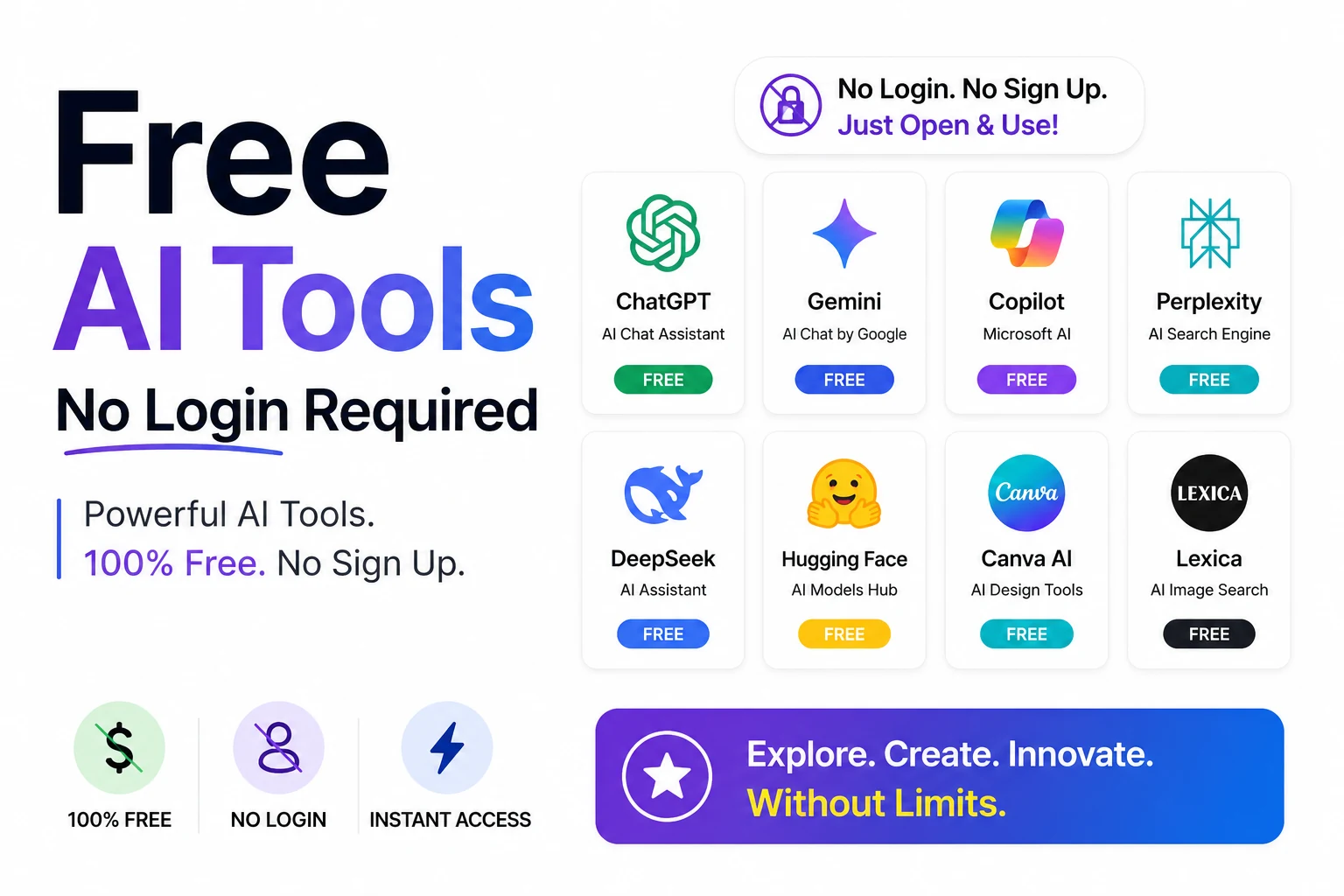
The best free AI tools no login required in 2026 let you write, design, transcribe, and download instantly — no account, no credit card, no email, and complete privacy for every session. With these utilities you can accomplish professional‑grade tasks in seconds, keeping your data out of the hands of third‑party platforms.
There is a clear reason this category is exploding. Global adoption of generative AI hit 16.3 % of the world’s population in late 2025 according to Microsoft, and in the US roughly 54.6 % of adults aged 18‑64 now use it. Yet Americans juggle an average of four paid AI subscriptions at about $66 a month, and 53 % cancel and restart tools to dodge the bill. No‑login tools are the antidote — instant utility without passwords, paywalls, or inbox spam.
How we picked these no‑login AI tools
We applied three strict rules to every entry:
- Truly free — a real working free tier, not a 3‑click trial that demands a card.
- No login — you can produce a result without creating an account (some tools offer optional sign‑in to save work).
- Useful and safe — it does a real job, and browser‑based tools that process data client‑side keep your files private.
What are the best free AI tools no login?
Below are the 10 that passed every test, each a solid free AI tools no login option for everyday tasks.
1. AI Blog Writer — long‑form drafts in seconds
The AI Blog Writer turns a topic or a few keywords into a structured, ready‑to‑edit article with headings and a natural flow. Ideal for marketers, students, and founders who need a solid first draft fast. Free, browser‑based, and no login — start typing and generate immediately.
2. AI Resume Builder — a polished CV with no account
Job hunting is friction enough without a paywall. The AI Resume Builder drafts clean, recruiter‑friendly resume content from your experience, then lets you export it as PDF or DOCX. Completely free with no sign‑up, so your work history never sits behind a login wall.
3. AI Cover Letter Generator — tailored letters in one click
Pair your resume with the AI Cover Letter Generator. Paste the job description and your background, and it produces a personalized, professional letter you can fine‑tune. Free, no login, and genuinely time‑saving when you are applying to dozens of roles.
4. AI Humanizer — make AI text read like you wrote it
The AI Humanizer rewrites stiff, robotic output into natural, human‑sounding prose while keeping your meaning intact. Useful for polishing drafts so they read warmly rather than mechanically. No account required and free to run as often as you need.
5. AI Image Generator — text‑to‑image, free and instant
Describe a scene and the AI Image Generator renders it — great for blog headers, social posts, and mockups. There is no software to install and no sign‑up: type a prompt, get an image. A free, no‑login alternative to the daily‑quota gates you hit elsewhere.
6. YouTube Transcript Generator — pull text from any video
Need the words out of a video for notes, subtitles, or quotes? The YouTube Transcript Generator extracts a clean, copyable transcript from a YouTube URL in seconds. Free, no login, and a researcher’s best friend for turning hours of footage into searchable text.
7. Image to Text (OCR) — extract text from any image
Got a screenshot, scanned receipt, or photo of a document? Image to Text reads the characters and returns editable text using OCR. No account, no upload‑to‑an‑inbox — just drop the image and copy the result. Free and privacy‑friendly for one‑off conversions.
8. YouTube Downloader — save videos without an app
The YouTube Downloader lets you save videos directly from your browser — no desktop software, no registration. Handy for offline viewing, archiving your own uploads, or grabbing reference clips. Free and login‑free; paste a link and go.
9. Instagram Reel Downloader — grab reels in a tap
The Instagram Reel Downloader saves public reels straight to your device with no account and no watermark hassle. Perfect for repurposing your own content or saving inspiration. Completely free and no sign‑up required.
10. AI Paraphrasing Tool — rewrite any text instantly
When you need a quick rephrase, the AI Paraphrasing Tool offers a one‑click way to spin sentences while preserving meaning. It’s especially handy after using an AI writer that produces repetitive phrasing. Free, no login, and runs entirely in the browser.
External picks that also require no login
No round‑up is honest without a few outside options. These are genuinely free and need no login to start:
- Perplexity AI — an AI answer engine that cites its sources. You can search the web conversationally without ever creating an account, which makes it excellent for quick, referenced research.
- Microsoft Copilot / Bing Image Creator — Microsoft’s DALL‑E‑3‑powered image tool and chat assistant let you generate images and brainstorm from the homepage, with a generous free quota and no mandatory account for basic use.
- Hugging Face Spaces — thousands of community‑hosted AI demos (text, image, audio) you can try directly in the browser, free and login‑free, when you want to experiment with cutting‑edge models.
For everything else — over 40 free utilities across writing, images, PDFs, and developer tools — the full RunFreeTools hub keeps every tool on this list (and many more) in one place, all free and all no‑login.
How can I use free AI tools no login safely?
- Check the URL – Ensure the site uses HTTPS and the domain matches the official provider.
- Avoid sensitive data – Never paste personal identifiers, passwords, or confidential business information into any free AI service.
- Review the privacy policy – Look for statements that data is processed client‑side or not stored long‑term.
- Limit usage – Free tools often have rate limits; use them for one‑off tasks rather than continuous pipelines.
Following these steps lets you reap the speed and cost benefits while keeping your information protected.
Key benefits of free AI tools no login
- Zero cost – No subscription fees, no hidden charges.
- Instant access – Start working the moment the page loads.
- Privacy‑first – No email address or personal profile attached to your queries.
- Cross‑device – Works on any modern browser, no software install needed.
The bottom line
The 2026 winners in this space are not the priciest — they are the ones you can use right now without handing over your details. Whether you are drafting a blog post, building a resume, transcribing a video, or generating art, there is a capable free AI tools no login option ready in your browser. Bookmark the ones you use most and skip the subscription treadmill entirely.
Frequently asked questions
Yes. Every RunFreeTools utility listed here is free to use with no hidden charges, no trial that converts to a paid plan, and no credit card. The three external picks (Perplexity, Microsoft Copilot, Hugging Face Spaces) also offer real, usable free tiers, though some cap heavy usage or sell optional premium upgrades.
No. You can produce a result from every tool on this list without creating an account or signing in. RunFreeTools tools work the moment the page loads. A handful of external services offer optional sign‑in to save history, but it is never required for basic use.
Generally, yes — and often more private than account‑based apps, because you are not attaching your email, phone, or identity to your queries. Browser‑based tools that process data on your device (like OCR and file utilities) keep your files local. As always, avoid pasting sensitive personal or confidential data into any AI tool.
Speed and cost. With Americans paying for around four AI subscriptions averaging $66 /month and most cancelling to manage spend, no‑login tools let you do the same one‑off jobs — write, design, transcribe, download — for free and in seconds, with no commitment.
In most cases, yes — drafting blog posts, resumes, cover letters, and images for your own business is fine. For external tools, check each provider’s terms for commercial‑use and licensing details, especially for AI‑generated images, before publishing.
Sources
Share this article
Send it to a teammate or save the link for later.
Related articles

50 AI agents: Ultimate Productivity Boost Guide 2026
Explore 50 AI agents that automate every work stage, cut costs, and sky‑rocket productivity. Learn integration steps with free, secure tools from RunFreeTools.
Read article
Free Powerful AI Agents Every Founder Should Know About
Explore the 10 Powerful AI Agents Every Founder Should Know About, see how they lift margins by up to 18 points, and get actionable steps to deploy them fast.
Read article
Agentic AI Ultimate Guide: Build Production‑Ready Agents
Learn how to design, deploy, and govern Agentic AI agents in 2026 with a step‑by‑step stack, real‑world use cases, ROI metrics, and privacy‑first browser tools.
Read article