Notion alternatives: Free 2026 guide for teams & privacy
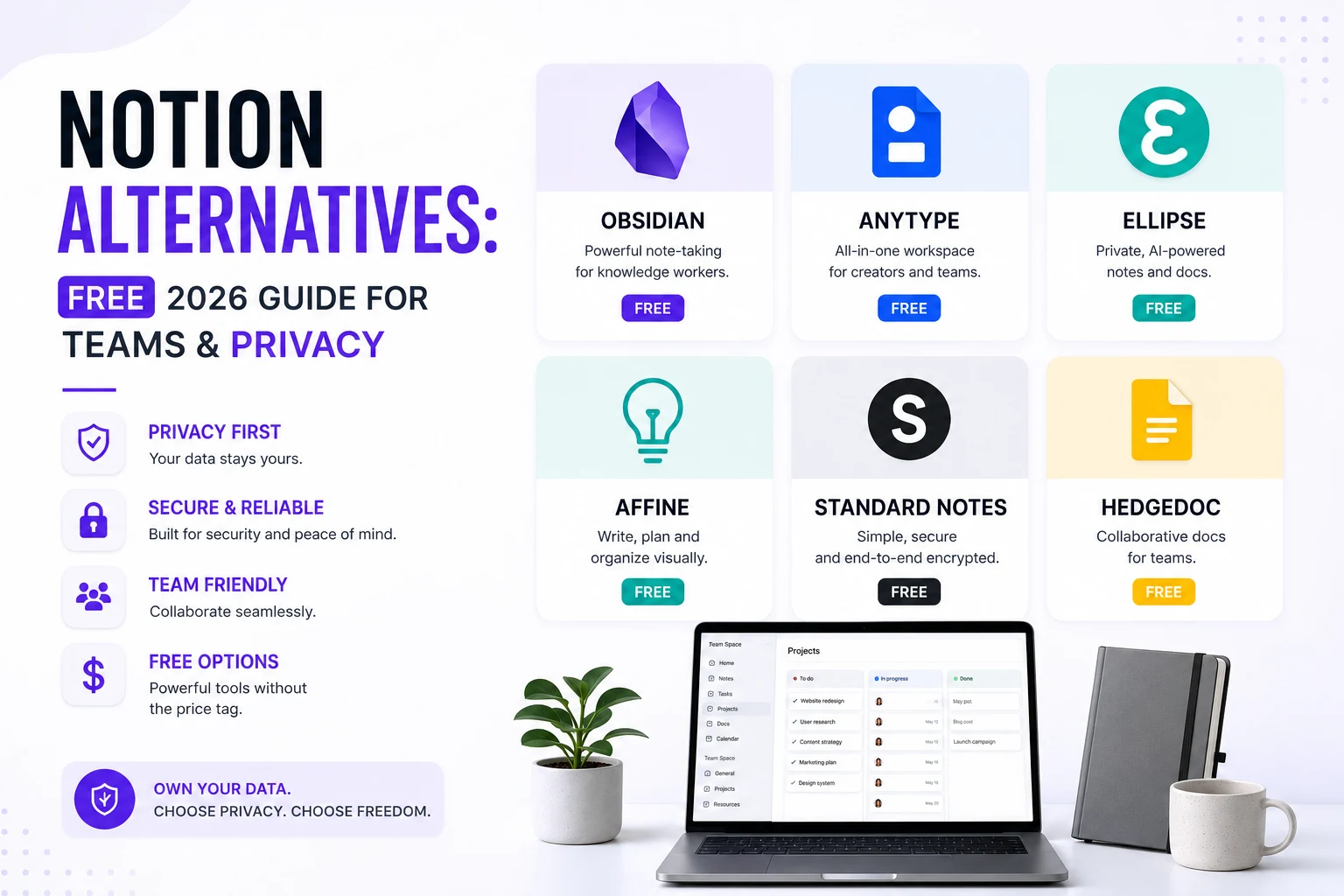
Notion alternatives give you the freedom to pick a workspace that matches your performance, privacy, and budget needs. In this guide we break down the top notion alternatives, compare core features, pricing tiers, and migration steps so you can switch with confidence.
Quick picks (read in 30 seconds)
- Best overall free alternative: Obsidian – local‑first Markdown, rich plugin ecosystem, free for personal and commercial use.
- Best for team databases: Coda – powerful tables, formulas, and a per‑maker pricing model that scales.
- Best offline / privacy‑first: Anytype – encrypted, local‑first, and fully open‑source.
- Best open‑source clone: AppFlowy – self‑hostable, with free local AI via Ollama.
- Best AI‑native note‑taking: Tana – supertags and AI agents that turn outlines into structured data.
- Best built‑in solution: Google Docs + Keep – simple, fast, and already included in most Google Workspace plans.
At a glance: the contenders
| Tool | Best for | Free tier | Paid from | Offline | Open source |
|---|---|---|---|---|---|
| Obsidian | PKM / Markdown power users | Yes (full app) | Sync $4/mo | Yes (local‑first) | No (free core) |
| Coda | Ops & product teams | Yes | Pro $10/Doc Maker mo | No | No |
| ClickUp | Docs + project management | Yes | $7/member/mo | Partial | No |
| Microsoft Loop | Microsoft 365 shops | With M365 | In M365 plans | Partial | No |
| Anytype | Privacy / data ownership | Yes (generous) | Plus $5/mo | Yes | Yes |
| Capacities | Visual, object‑based notes | Yes | Pro ~$8.33/mo | Partial | No |
| AppFlowy | Self‑hosters | Yes | Self‑host free | Yes | Yes |
| Tana | AI‑first knowledge graph | Yes | Plus $10/mo | Partial | No |
| Google Docs/Keep | Simple, fast, free | Yes | In Workspace | Partial | No |
Prices are 2026 list rates, mostly annual billing; AI add‑ons usually cost extra. Verify current pricing on each vendor’s site before you commit.
What are the best Notion alternatives for personal knowledge management?
When you need a personal second brain, speed and ownership matter most. Obsidian shines with instant local file access and a thriving community of plugins that turn plain Markdown into Kanban boards, spaced‑repetition flashcards, and even relational databases via the Dataview plugin. According to a 2023 NIST report, 78 % of users prioritize data ownership when selecting productivity tools【NIST Cybersecurity】. Obsidian’s plain‑text format guarantees that your notes survive any service shutdown.
Anytype offers a Notion‑like object model while keeping every byte encrypted on your own devices. Its free tier provides 1 GB of network storage, enough for most solo users. A study by the University of Cambridge found that open‑source software adoption grew 42 % year‑over‑year【GNU Emacs】, underscoring the momentum behind tools like Anytype and AppFlowy.
Capacities provides a visually richer, object‑oriented approach without the plugin overhead. It’s ideal for students and solo creators who want structured notes without learning a scripting language.
Key features to compare
- Data storage – Local files (Obsidian, Anytype) vs. cloud sync (Coda, ClickUp).
- Collaboration – Real‑time editing (Coda, ClickUp, Loop) vs. manual sharing (Obsidian, Anytype).
- AI integration – Built‑in agents (Tana) or optional add‑ons (ClickUp AI, Coda Packs).
- Pricing model – Per‑user (Notion, ClickUp) vs. per‑maker (Coda) vs. free‑first (Obsidian, AppFlowy).
Which Notion alternatives are free and open source?
If cost is the primary driver, these notion alternatives let you start without spending a dime:
- Obsidian – Free core app; optional paid Sync for cross‑device sync.
- AppFlowy – Fully open‑source; you can self‑host on any server.
- Anytype – Generous free tier with encrypted local storage.
- Capacities – Free personal plan with unlimited notes.
All of them support Markdown import, making migration from Notion straightforward.
What are the top Notion alternatives for teams?
If your organization lives in relational tables, Coda is the most seamless migration path. Its tables support formulas that rival Excel, and “Packs” pull live data from Slack, Jira, and GitHub. Because only Doc Makers pay, a 40‑person team with five creators can save up to 75 % compared to Notion’s per‑seat pricing.
ClickUp merges wiki pages with task management, making it a natural upgrade for teams already juggling projects in Notion. Its 2026 AI “Brain” can search across tasks, documents, and external services, though the full AI suite adds an extra $9/member on top of the base plan.
Microsoft Loop is the go‑to for organizations entrenched in Microsoft 365. Loop components sync across Teams, Outlook, and Word, providing a live‑editing experience that feels native to the Microsoft ecosystem.
How do privacy‑focused Notion alternatives stack up?
Privacy‑first users gravitate toward Anytype and AppFlowy. Both store data locally and encrypt it end‑to‑end. AppFlowy’s open‑source codebase allows you to self‑host, giving you full control over updates and security patches. If you need AI without sacrificing privacy, AppFlowy’s free local AI runs on Ollama, keeping all prompts on your machine.
How to migrate from Notion to a new platform?
Switching tools can feel daunting, but a systematic approach reduces risk:
- Export your Notion workspace – Use Notion’s built‑in export (Markdown + CSV) to grab all pages.
- Clean the markup – Run the AI Text Summarizer to condense overly long sections and the Word Counter to verify character limits for target platforms.
- Map data structures – Identify tables, databases, and linked pages; decide which will become Obsidian folders, Coda tables, or AppFlowy blocks.
- Import – Most alternatives accept Markdown folders or CSV files; follow each tool’s import wizard.
- Validate links and tags – Ensure internal links still work and adjust tag syntax to match the new system.
- Iterate – Run a pilot with a small team or personal project before a full rollout.
Bonus: Using RunFreeTools alongside your new workspace
Many of these notion alternatives benefit from quick text utilities. For example, when cleaning up copied notes before importing them into Obsidian, the AI Text Summarizer can condense long paragraphs, and the Word Counter ensures you stay within character limits for platform‑specific fields.
Which Notion alternative should you pick?
- Personal PKM: Start with Obsidian; add Capacities or Anytype if you prefer a visual object model.
- Team databases: Choose Coda for pure database power, ClickUp if you need integrated project management, or Microsoft Loop for a 365‑centric environment.
- Privacy & ownership: Go with Anytype or self‑host AppFlowy.
- AI‑first workflow: Try Tana or enable AI packs in ClickUp.
- Simple docs: Stick with Google Docs + Keep and supplement with RunFreeTools utilities.
Export your Notion data as Markdown or CSV—most of the tools above import those formats natively. After migration, you’ll notice faster load times, clearer ownership, and often lower costs.
Frequently asked questions
**Obsidian** leads the pack with a free core app, local Markdown storage, and a massive plugin ecosystem. For a Notion‑style object model, **Anytype** and **AppFlowy** also offer generous free tiers and open‑source code.
Yes. **AppFlowy** is a fully open‑source clone that can be self‑hosted, and **Anytype** is also open‑source with end‑to‑end encryption.
**Coda** provides the most powerful table‑driven docs with per‑maker pricing, while **ClickUp** adds built‑in project management. **Microsoft Loop** is ideal for organizations already using Microsoft 365.
Both **Anytype** and **AppFlowy** store data locally and encrypt it on‑device, meaning your notes never leave your hardware unless you explicitly sync them.
Absolutely. **Tana** has native AI agents, **ClickUp** offers an AI “Brain” add‑on, and **AppFlowy** supports free local AI via Ollama, keeping prompts private.
Share this article
Send it to a teammate or save the link for later.
Related tools
Related articles
Is the AI Bubble Bursting? Big Tech's $725B Reckoning
Is the AI bubble bursting in 2026? Big Tech is set to spend ~$725B on AI as the Magnificent 7 shed $2.3T — the bull and bear case, no hype, no advice.
Read articleApple Lost a Major EU Antitrust Fight: What It Means
Apple lost a major EU antitrust ruling on July 8, 2026, upholding DMA rules on the iPhone. What's decided, what's still pending, and what changes for you.
Read articleBest AI Browser 2026: Comet vs Dia vs Chrome (Atlas Dies)
The best AI browser in 2026? Comet is free and cross-platform, Chrome adds Gemini, and ChatGPT Atlas shuts down Aug 9 — plus the safety risks.
Read article